Google announced that on August 10, 2015, they will be closing down their Autocomplete API.
Google said the unsupported API had no official restrictions and saw the API being used in both ways they found useful and in other ways that were not so useful. That being said, Google said the Autocomplete API doesn’t “provide a meaningful user benefit” other than being paired to Google Web search.
Peter Chiu from Google wrote:
In the interest of maintaining the integrity of autocomplete as part of Search, we will be restricting unauthorized access to the unpublished autocomplete API as of August 10th, 2015. We want to ensure that users experience autocomplete as it was designed to be used — as a service closely tied to Search. We believe this provides the best user experience for both services.
For publishers and developers who still want to use the autocomplete service for their site, we have an alternative. Google Custom Search Engine [CSE] allows sites to maintain autocomplete functionality in connection with Search functionality. Any partner already using Google CSE will be unaffected by this change. For others, if you want autocomplete functionality after August 10th, 2015, please see our CSE sign-up page.
Google also believes that many SEM and keyword tools use this API to generate new keyword ideas. This may affect some of the tools you use.
Social bookmarking began life as a trendy new way to market using the sites of the hour, giants like Delicious and Digg.
When was the last time anyone trendy used Digg?
I can tell you that they think they’re trendy. Just look at their site these days. It’s all flat and paned like Windows 8, but with a stark black and white theme made for appealing to a certain demographic.
Is Digg really social bookmarking anymore, though? I see no submission form. I see nothing, in fact, that made it what it was when it debuted. In fact, all I see is a site trying almost painfully to appeal to a certain type of hipster with titles like “Revelations from Outer Space” and “Nope, That is Not How a Shower Works.”
Granted, I’m not giving Digg a fair shake, because this is the last of it I’m going to mention. What you really want to know is, is social bookmarking – the real stuff – worth anything for SEO these days?
Direct Links
In the old days, the primary reason anyone would use social bookmarking was the ease of a link. Links used to be far more valuable than they are today, and they also used to be less regulated. Concepts like “nofollow” didn’t exist, or weren’t widely used. Any site with user submissions thus became a great marketing target.
Sites like Digg, StumbleUpon, Reddit, and so forth were perfect for marketers. They had very little filter beyond community upvotes, and here’s the thing; a link on one of those sites didn’t disappear just because no one voted it up. It just settled to the bottom, noticed by search engines but not by users. The backlink was still valid.
These days, the vast majority of these sites nofollow their links automatically. Even if they don’t, well, Google understands what social bookmarking is, and they don’t want you artificially building a ton of backlinks so easily. I feel comfortable in saying that, if your purpose is solely to gain direct backlinks, social bookmarking is firmly dead.
Indirect Links
Indirect links are a concept I feel like many marketers disregard, because it’s not something you can control.
The idea behind indirect links is that by posting on social bookmarking sites, other people become aware of your site. They see your link, they click on it, they read your posts. Maybe they like them enough to bookmark them for later, maybe not. The point is, they’re aware of you.
Now, the next time they’re writing about a topic related to your post, they remember what you wrote. They think “hey, maybe I should find that cool article I found before and link to it.” They do, and you earn a link. This link may have come from a site you’ve never heard of and never thought to contact. Sometimes it might even come from a site much more popular than your own. The direct link from the bookmarking site may not have been valuable, but the link you received certainly was.
Social Recognition
There’s a certain value associated with simple name recognition. By presenting yourself on social bookmarking sites, you’re putting your content up on a pedestal to be judged. If you fail, on some sites, you just find your link down-voted until it disappears. On other sites, like Reddit, you might even find yourself banned from the site for blatant advertising.
On the other hand, what if you find success? At a low level, success means a few upvotes, which promotes your site and gets you seen by more people. It doesn’t do a lot, but it puts your post and your brand in front of people who wouldn’t have otherwise seen it. Afterwards, when they’re browsing around, they might recognize your name and give you the benefit of the doubt.
If you see great success, you end up with a bit of a viral surge in traffic. People vote your site up and you end up on the front page of whatever site you’re using, be it Reddit or Imgur or anything else. You’ll find your site shared on other sites and linked from sites that wouldn’t have even known you exist before.
Of course, this relies entirely on the quality if your content. There’s no real way to game the votes; if you try to vote yourself up using secondary accounts, you’ll almost definitely be caught and suffer the consequences. Such sites can be very hostile to people trying to compromise the integrity of their voting system.
Valuable Traffic
Social bookmarking has one great benefit, and that’s high quality traffic. The people who use social bookmarking sites use them to find content they really want to see. If they’re clicking your links, they’re legitimately interested in what you have to say, and they’re just as likely to share it on other sites as they are to vote it up on their home site.
Reddit is one of the best for this, but again, it’s a very fickle place. You have to follow their rules, and you have to fit in with their culture, otherwise you’re going to find no traction or end up banned.
Part of this involves simply being a member of the community. They even say, in their guidelines, that it’s okay to be a Redditor with a website. It’s not okay to be a marketer on Reddit.
Your goal, then, is to fit in as much as possible. Be a regular user, learn how to communicate with other users, using the unique language of Internet culture.
The other part of success on a site like Reddit is finding the right place to be. Reddit – and many other social bookmarking sites – has a metric ton of sub-sections for various topics. They can range anywhere from broad topics like politics and marketing to ultra-niche topics only two or three people in the world would care about.
You need to identify those niches and figure out where your topics fit. Spend some time in those sections, learning how those users communicate, and proceed only once you feel you fit in. If you do it right, you’ll get a lot of interested traffic for little or no effort.
Google's John Mueller said several-months ago that Google won't index the content found within hidden tabs. But SEOs and Webmasters said they would. It might be more that they weight that content less than visible content.
But this morning, Gary Illyes added a bit more detail on this at Stack Overflow saying that Google "won't see the content behind tabs if the content under the tab is dynamically generated (i.e. not just hidden)."
That means that when you click the tab, then the content first starts to be rendered, Google won't see it.
This question comes around using Bootstrap tabs to dynamically generated content in those tabs on click.
Gary Illyes from Google said:
"No, we (Google) won't see the content behind tabs if the content under the tab is dynamically generated (i.e. not just hidden)."
You can also see what we "see" using Fetch as Google in Search Console (former Webmaster Tools); read more about the feature in our post titled Rendering pages with Fetch as Google.
This is part of a general clean-up of unclaimed or dormant pages/listings. Blog author Mike Blumenthal has also asserted that the move “is a final step in separating local from Plus.” Indeed, it would appear to be part of the larger move away from Google+.
Here’s an excerpt from a Google email that has been circulating in local forums and local search blogs:
In the past few months, you may have seen some changes in the look of Google+ pages that have been associated with Google My Business (GMB) accounts. These changes, including how we treat business pages without owners, are part of Google’s ongoing effort to simplify people’s experience with our tools. We are constantly working to provide only valuable and rich content to our users.
On July 28, Google will begin shutting down those GMB-associated Google+ pages that have not been associated with user accounts and are also not verified. You may find that some of your Business View tours also sit on such pages, but note that after this removal of unverified Google+ pages, the Business View tours will still remain available on Google Maps and Google Search.
Unclaimed Google+ pages are not good for the product or for users. In addition, Google is creating incentives here for people to claim their listings and actively engage with Google My Business.
Some folks are celebrating the move (Phil Rozek):
“To me this just seems to be more a long-overdue house cleaning . . . “
But others (Joy Hawkins) have raised concerns it will make the work of local SEOs harder:
Am I the only one thinking that this will actually make our (SEOs) jobs harder? For me, the unverified pages show me insight into bad NAP or things I need to fix for clients. Without that insight I feel like diagnosing is just about to get harder…
Here’s what the Google Maps team recommends:
Encourage your business customers to verify their listings if they wish to retain their Google My Business page . . .
If a business owner decides later that they would like to have a Google My Business page, please advise them to create a new page and verify their listing. The Business View virtual tour can be then transferred to the new verified listing. Please log a case to our support teams to request that images for your business customer be forwarded to the new GMB page.
Please point your business customer to their images in Google Maps.
Do you agree this is a welcome development? Do you think, as Mike Blumenthal suggests, that this is a final uncoupling of Google+ and local search?
I think most search marketers would agree that paid search is not a "set it and forget" advertising medium. But you might be surprised at how many advertisers effectively do just that, casually checking campaign stats without any real game plan to improve their PPC performance. Or, they simply trust the search engine to optimize their performance for them. And while most who fall into this camp tend to be smaller businesses who are presumably not as digitally savvy, I've run across more than one major paid search advertiser that effectively hadn't changed its campaigns in years.
Wondering whether you're paying close enough attention to your PPC campaign data? A simple measure of your campaign knowledge is whether or not you can answer questions such as:
What's a reasonable click-through rate to expect for my ads?
Am I spending too much or too little this month?
How much revenue could I earn each month from my campaign?
Should I continue sponsoring this keyword or is it actually hurting my campaign?
If you can't answer fundamental questions such as these, read on. The following will provide you with guidance.
The goal of campaign measurement is to make informed decisions about your campaign. That means having a strong knowledge of your current and past performance, and the insight to uncover and address problems and opportunities that were previously unknown to you.
The following are the key statistics to watch:
Daily and Monthly Spend
The two most important statistics you need to track are your daily and monthly campaign spend, so you understand what you're spending per day, how your campaign spend changed over the past month, and what a normal month looks like.
Start by looking at your absolute dollar spend every day and maintain a trending chart to help you distinguish between normal and abnormal daily fluctuations. With it, you can see when costs are highest and when they trend down. A chart can also tell you what's perfectly normal for daily cost fluctuations. Anything outside of the normal range can alert you to problems.
Coverage and Impression Share
The next two statistics to track are coverage and impression share. Impression share is the percentage of the available search impressions in which your ads appear across all your keywords. Coverage is similar, except that it doesn't take traffic into account and can be used on individual keywords. These metrics can tell you how much traffic you're leaving on the table.
In terms of importance, coverage takes precedence over impression share because it tells you exactly where the problems lie by revealing places where your quality score lags behind your close competitors. That being said, impression share helps monitor your campaign's overall health. If it drops below 70 percent, you know it's time to start figuring out what's going wrong.
Clicks
It's important to track both the daily and monthly clicks you're receiving from your campaigns. As with campaign costs, you need to be able to distinguish between normal daily fluctuations and trends either up or down.
Click-through Rate
Having charts of your costs and clicks is helpful, but it doesn't give you the whole picture. It's very easy to miss important changes in your campaign if you try to eyeball the charts against one another. For this reason, you should also track the average daily click-through rate. By knowing what is normal and what is not, you'll be able to see when something may be wrong with your campaign and dig deeper to find the cause.
Conversion Rate
The final key statistic to track on your campaign is average website conversion rate: the percentage of visitors to your site who buy from you. If you see great disparities between your sales and average conversion rate, that could indicate problems, especially if you see a spike in sales and a concurrent drop in average conversion rate.
Track Competitors Too
Beyond your own campaigns, tracking competitors' spend (and other data) can provide valuable insights. For instance, if a long-time competitor increases their bids, it's often a sign something is working. Check their landing pages for new products, feature improvements, or even new layouts and copy.
If a competitor's bids and/or budget drop, it's often a sign something isn't working. Aside from the strategic advantage this data gives you, it's also useful for benchmarking your own campaign spend and traffic against your competitors', which helps ensure you can at least achieve parity with your rivals.
Watches tell the time, all the time, helping you stay on track and make quick decisions at a glance. That’s why Android Wear supports always-on screens and always-on apps. You get the info you need as long as you need it, while saving on battery and avoiding arm twists just to wake your display.
Bring! Shopping List in normal and always-on modes.
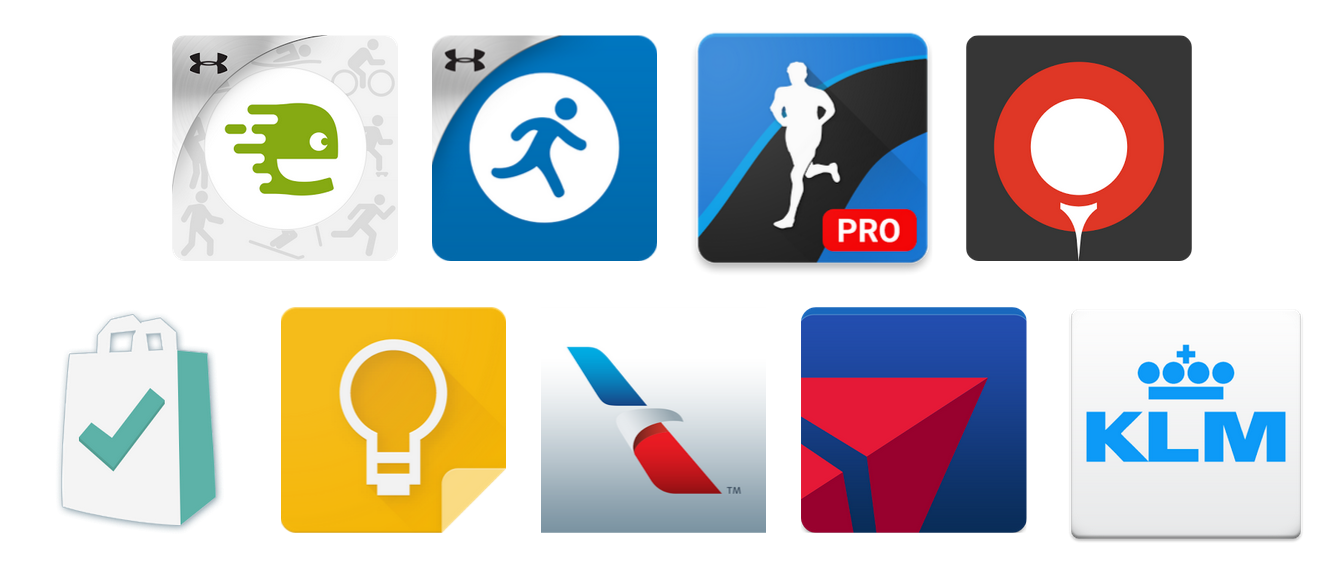
Always-on fitness Going out for a run? Now, you can keep an eye on distance and pace just by glancing at your watch withEndomondo, MapMyRun, and Runtastic. If golf is more your game, Golfshot gives you accurate distances from tee to pin so you can always grab the right club from your bag.
Always-on productivity Competing in your personal weekly supermarket sweep? No need to slow down to bring out a list or phone. Just glance at your watch to see what’s next with Bring! Shopping List and Google Keep.
Always-on travel
And if you’re catching a flight, apps from American Airlines, Delta, and KLM show you flight status, gate, and seat info right on your wrist. Wearing your boarding pass keeps your phone in your bag and out of the airport lost and found.
With a wide range of Android Wear watches available in the Google Store, it’s easy to find a watch that matches your personal style. No matter which watch you choose, you’ll always be able to stay on track by keeping important info on your wrist.
The days of David and Goliath having an equal opportunity at driving web traffic are long gone. It is especially hard for small business owners. For these entrepreneurs, time is at a premium and marketing budgets are tight. Desperate to compete, they often fall victim to SEO scammers. Instead of a traffic boost, many wind up in worse shape, dealing with a manual penalty or an algorithmic setback.
Good SEO providers never spam your contact forms or inboxes offering to provide awesome SEO services for cheap prices. Delete these messages immediately. You do not want to place your business or reputation in the hands of some anonymous Gmail spammer.
So how can a small business owner navigate the tangled web of SEO, social media and off-page marketing? The good news is that you don't need to do everything. Focus on the basics and you can be successful - even in 2015.
Internet marketing doesn't need to be overwhelming; follow the steps below and you will establish a solid foundation. After the initial setup, spending just 20-30 minutes a day on your marketing efforts is certain to boost web traffic and footsteps through your door.
1. Claim Local Listings
Start with the big two. For many, if not most, businesses, nothing else is needed.
Google My Business: Claiming and optimizing this profile should be your top priority. Do it today. Prospective customers can access driving directions to your business in Maps, find your business hours in Search, and have a click-to-call feature on their mobile phones. Perhaps the most powerful feature is ability to read and respond to reviews from customers. As an added bonus, it is widely believed that Google reviews influence local search rankings.
Yelp: According to Yelp, the platform averages 142 million users per month. Once you claim a Yelp Business Page, you can add photos, link to your website, and ensure that important information like your business hours and phone number are correct and current. Of course, Yelp is primarily known for reviews and offers business owners the opportunity to interact with reviewers via private message or public comment.
2. Generate Online Reviews
After claiming your Google and Yelp listings, you should be proactive in generating reviews. Many business owners are uneasy about client reviews and for good reason. Between one and three bad online reviews would be enough to deter 67 percent of shoppers from purchasing a product or service, according to a Lightspeed Research study. Keep in mind that even if you don't claim a listing, customers can and will leave a review.
That means that managing reviews - in other words, getting reviews from happy customers - is extremely important. One way to do this is to utilize the Whitespark Review Handout Generator. This free tool creates printable instructions explaining how to leave a Google review, on both desktop and mobile.
Yelp discourages business owners from asking for reviews and suggests "reminding" customers that you are on Yelp by using review badges on websites, in-store signage, and QR codes.
3. Have or Build a Mobile-Friendly Website
Local search is mobile search. According to Google, mobile searches now outnumber desktop searches in 10 countries, including the U.S. The Google Mobilegeddon algorithm punishes websites that are not mobile friendly by displacing them from top search results on mobile devices.
Having a Facebook page alone doesn't cut it. Countless business owners have had their Facebook pages shut down with no recourse; why take that risk? The lack of ownership and limited control represent a danger to your business. Fortunately, building a website doesn't require a technical background in web design. There are literally thousands of Wordpress templates, or Themes, built for every niche and many are free. Remember to look for one with a responsive design, which means it is mobile-friendly.
4. Build Local Citations
A citation is any mention of your business on the web. It can come in many forms and not just links. A citation may include a link, in addition to the company's name, address and phone number (NAP). Consistency in reporting NAP is the cornerstone of a successful citation-building campaign. For example, 123 Main Street is not the same as 123 Main St., in the eyes of Google.
It has been reported that citation-related factors account for at least 15 percent of the overall ranking factors in local search. A Google search for Local Citation Finder will turn up helpful tools that make this a relatively easy task. At a minimum, you should submit your NAP to the major data aggregators. If pressed for time, there are reputable companies that will do this for you.
5. Master one or two social media platforms
Social media marketing can be confusing and time-consuming. The number of platforms can be overwhelming, but in my experience, the top performing social networks for most small businesses are:
Facebook. By far the most popular platform, Facebook is used by 57 percent of all American adultsand 71 percent of those ages 12-17, according to Pew Research Center. Because of its broad appeal, Facebook is a good fit for any business. If you only have time to master one social media channel, this is it.
Instagram. Instagram is the fastest growing platform, used by 26 percent of adults online. Even more impressive, 53 percent of young adults ages 18-29 now use the service. If you are in a niche where people tend to share images - food, fashion, technology - this is the place to be. It's also a no-brainer for companies targeting a younger demographic.
Pinterest. Pinterest is used by 28 percent of all adults and 42 percent of all females online. The platform also boasts a user base with 64 percent of users having an average household income of $50,000 or more. Like Instagram, visually-appealing goods and services will perform best here. In my experience, Pinterest is the best direct sale channel among all social media platforms. If you're marketing to women, you need to consider Pinterest.
The Takeaway
This is not, by any means, a comprehensive list of everything a website owner can or should do. Instead, these are the tasks that I would consider to be the priority items for every business owner looking to achieve online success. Customers expect to find you on the Internet; if you aren't there, they will find your competitors instead.